

Accessing Model Export
Model export options are available from the model header dropdown:- Click the dropdown arrow next to your model name in the left sidebar
- Select your desired export option
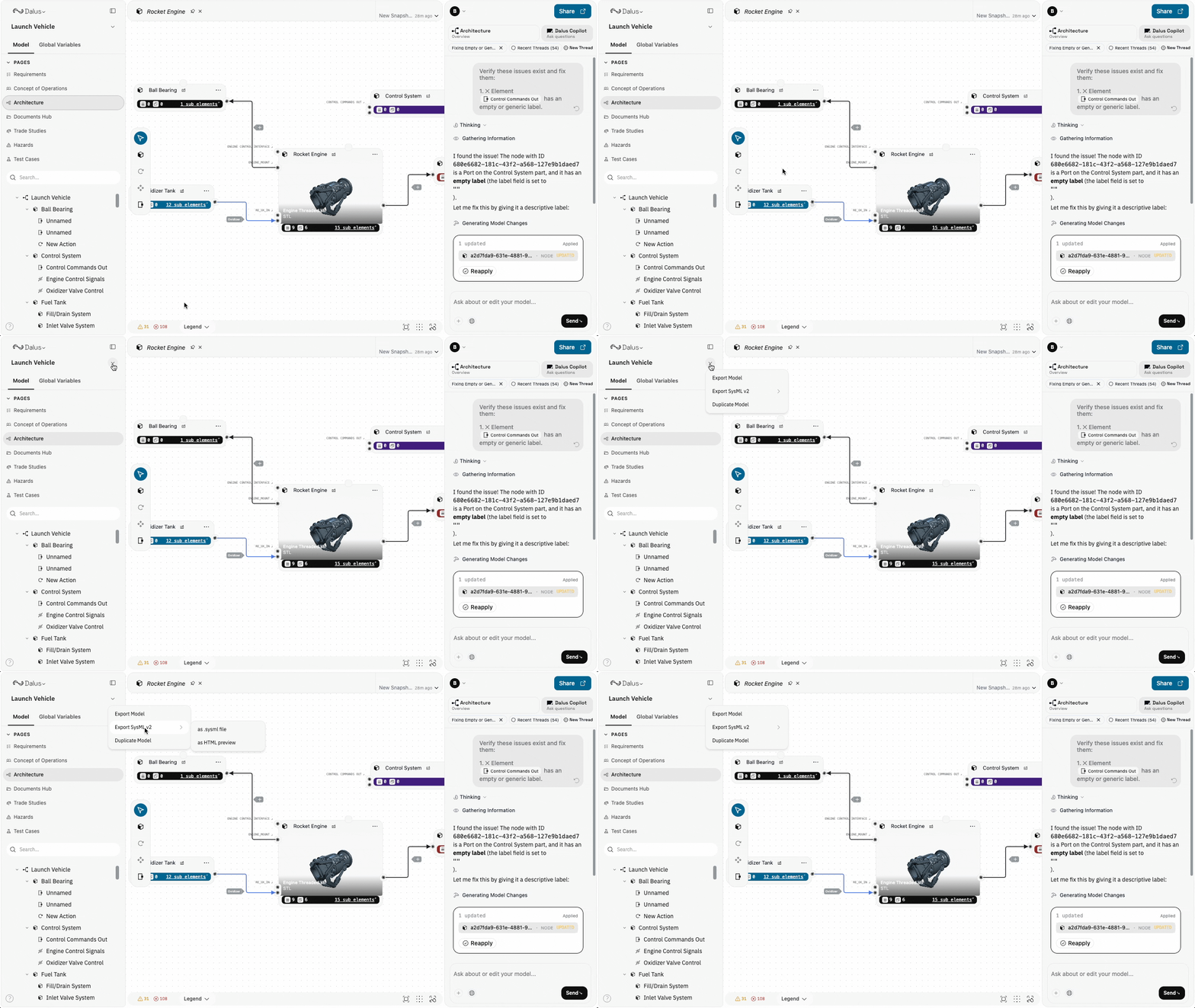
Export Options
Export Model (HTML/PDF)
Generate a formatted HTML document of your complete model, which can be saved as PDF for formal documentation.- Click the model name dropdown
- Select Export Model
- The HTML document opens in a new tab
- Use your browser’s Print or Save as PDF function to create a PDF
Export to SysML v2
Export your model in SysML v2 textual notation for interoperability with other MBSE tools.Export as .sysml File
- Click the model name dropdown
- Select Export SysML v2 > as .sysml file
- A
.sysmlfile downloads to your machine
- Package structure with your model name
- Part definitions with attributes
- Port definitions with directions
- Interface connections
- Requirements linked to system elements
SysML v2 export uses standard SI and ISQ unit libraries. The generated code follows the SysML v2 specification and can be imported into compatible tools.
Export as HTML Preview
View your SysML v2 code in a formatted HTML page with syntax highlighting:- Click the model name dropdown
- Select Export SysML v2 > as HTML preview
- The formatted SysML code opens in a new tab
- Reviewing the SysML structure before sharing
- Copying specific sections of SysML code
- Creating documentation with embedded SysML snippets
Best Practices
- Export before major changes — Create an HTML/PDF snapshot before restructuring your model to preserve a record of the previous state.
- Use SysML v2 for tool interoperability — When sharing models with teams using other MBSE tools, SysML v2 provides the best format compatibility.
- Include in documentation packages — PDF exports work well for milestone reviews, CDRs, and compliance documentation.
- Version your exports — Include dates or version numbers in exported file names to track model evolution over time.
Permissions
Export actions follow model permissions:
All roles can export models for viewing and sharing.